

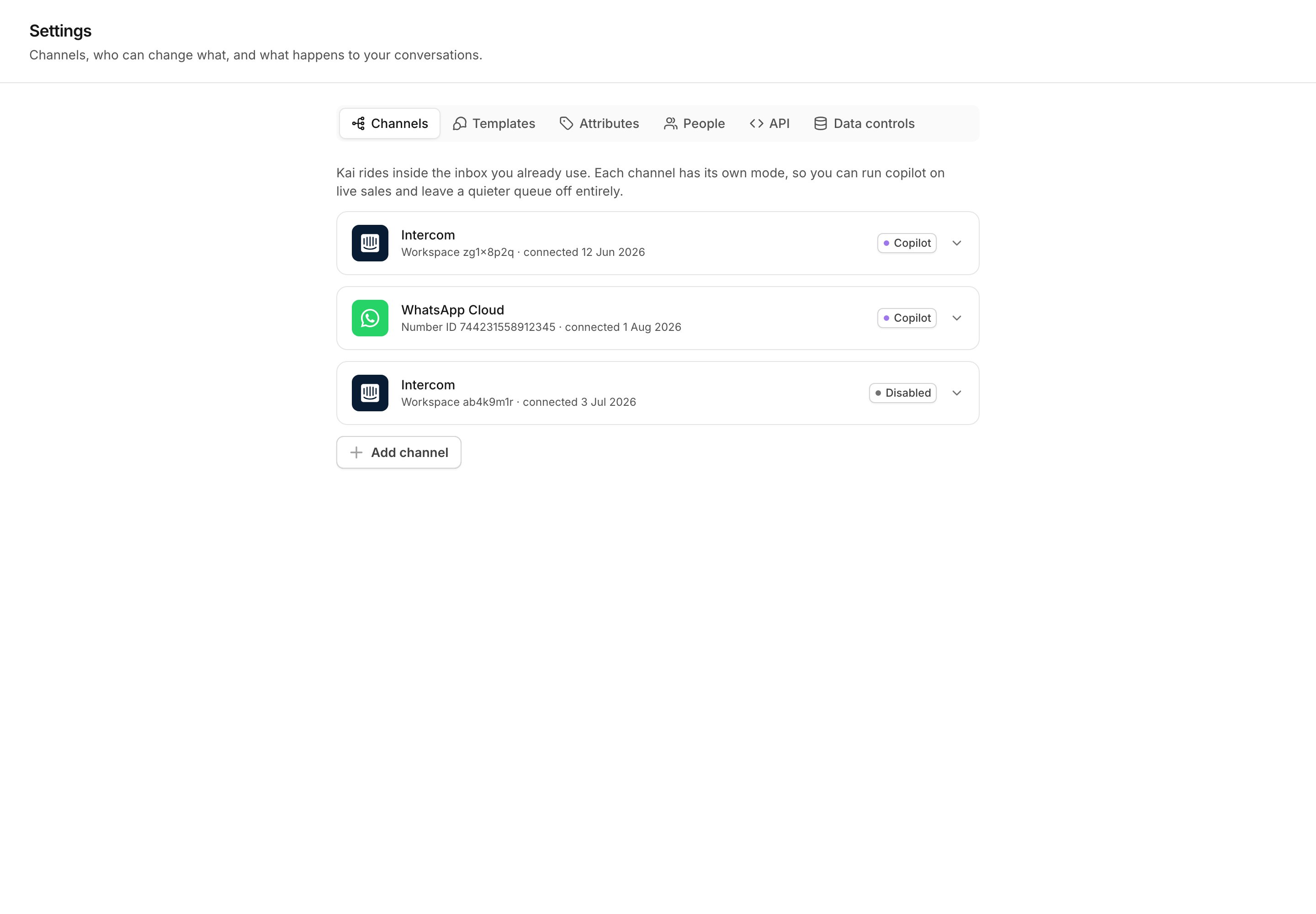
Settings → Channels: each connected channel and the mode it runs in.
The three modes
Off is not the same as disconnected. Kai still receives the messages,
records them, and keeps the inbox current. It only stops writing.
What Kai will not send, even on autopilot
Autopilot is a permission, not an override. Kai writes a draft instead of sending when any one of these is true:- A human handoff rule fires. The conversation goes to a teammate.
- The reply quotes a number Kai cannot verify. The number must appear in Current Information, in a non-volatile answer, or in the conversation itself. If not, the reply is downgraded to a draft. See How Kai works.
- Confidence is below the floor. You set the floor per channel.
- A human already replied on the thread. Kai stops acting on a conversation that a person took over.
The two autopilot scopes
Open a channel card to see the settings. The block is titled What Kai may answer without a human.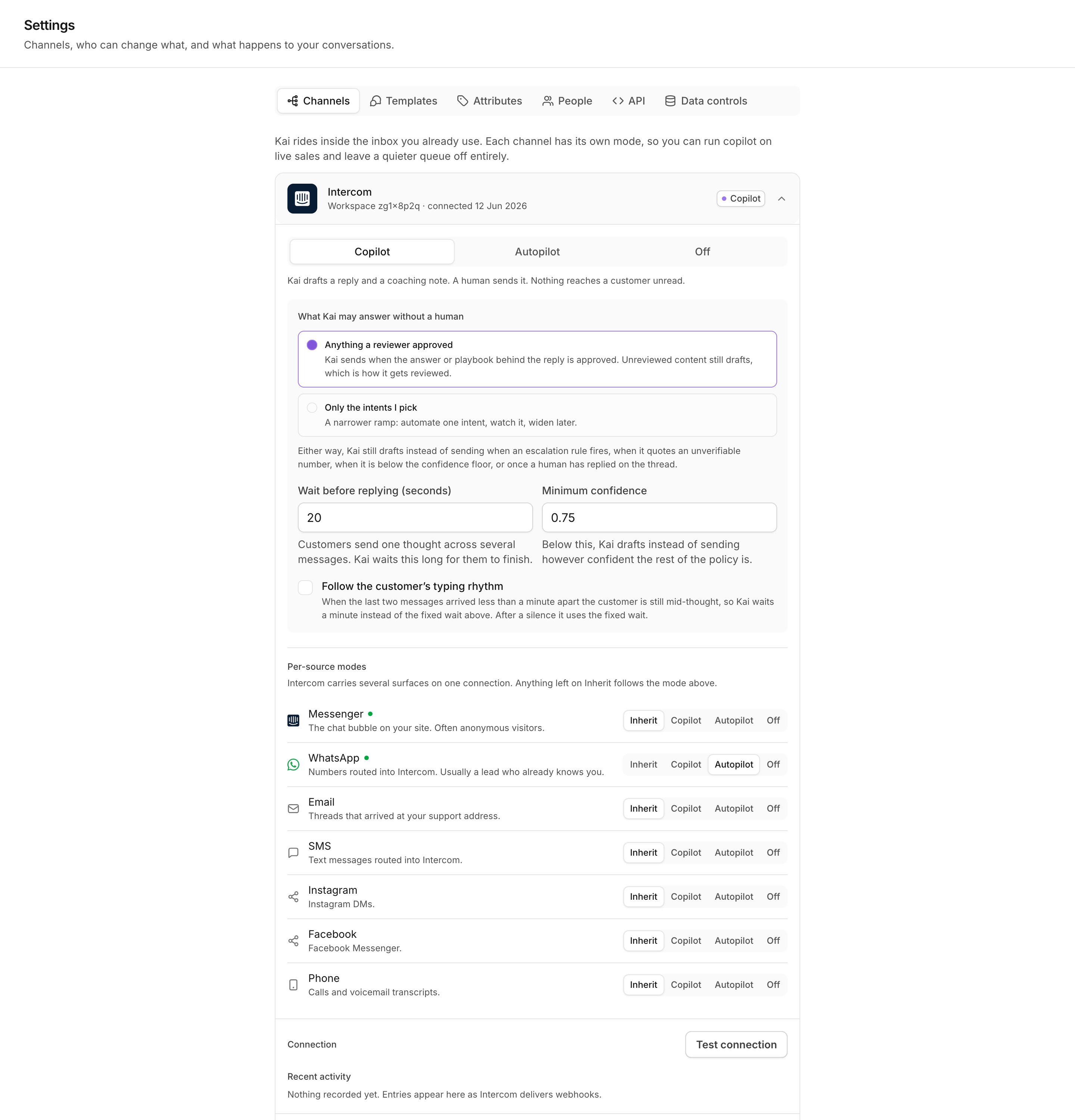
A channel card, open: mode, autopilot scope, wait, confidence and per-source modes.
Anything a reviewer approved
This is the default. Kai sends when the answers it used and the conversation flow it followed are approved or edited by a person. Unreviewed content still drafts, and that is how the rest of your Brain gets reviewed from real traffic. Use this scope when your review queue is in good shape. It grows as your team reviews, with no further settings to change.Only the intents I pick
A narrower ramp. Kai sends only for the intents you select from the list, and drafts everything else. Automate one intent, watch it for a week, then add the next.Minimum confidence
Minimum confidence is the floor for a send. The default is0.75. Below
the floor, Kai writes a draft, whatever the rest of the policy allows.
Raise it if you want fewer, safer automated replies. Lower it only after you
have watched the confidence numbers on the Overview page for several weeks.
The wait before replying
Customers send one thought across several short messages. If Kai answered the first one, it would answer half a question. Wait before replying (seconds) is how long Kai waits for the customer to finish. The default is 20 seconds. Each new message pushes the wait forward, so a burst of six messages produces one reply, not six.Follow the customer’s typing rhythm
WhatsApp does not tell Kai that a customer is typing. This option infers it from the timing instead. If the last two messages arrived less than a minute apart, the customer is still mid-thought, so Kai waits a minute rather than the fixed wait. After a silence, Kai uses the fixed wait. The option is off by default. When it is on, a second setting appears: Never wait longer than (seconds), 180 by default. It is counted from the customer’s first unanswered message, so a long burst cannot hold a reply forever.On autopilot with this option on, Kai also shows the WhatsApp typing
indicator while it works. The reply then does not appear out of nothing.
Per-source modes
A mode belongs to a source, not only to a channel. One Intercom workspace carries the Messenger widget, WhatsApp, email and SMS on one credential and one webhook. They are not one audience. A Messenger visitor is often anonymous and asking a first question. A WhatsApp thread is a phone number that already chose to reach out, and often a customer you know. Under Per-source modes, each source can be set to Copilot, Autopilot or Off, or left on Inherit. Inherit is the resting state: it stores nothing, and it follows the channel mode, including any later change to it.
A source that Kai has not seen yet still follows the channel mode. Nothing
breaks when your provider adds a new source type.
A recommended ramp
1
Two weeks in copilot
Every channel on Copilot. Your team reads and sends every reply. Watch
Draft acceptance on the Overview page. Fix the answers your team keeps
rewriting, in the review queue.
2
One source on autopilot, narrow scope
Pick the source with the highest draft acceptance. Set that one source to
Autopilot under Per-source modes, and leave the rest on
Inherit. Use Only the intents I pick, and select one intent that
your team almost never corrects.
3
Widen the scope
After a week with no bad reply, add a second intent, or switch that source
to Anything a reviewer approved. The review queue then decides what Kai
may send, and it grows as your team works.
4
Widen to other sources
Move the next source to Autopilot, one at a time. Keep at least one
source in copilot for a while, as a control.
Next
How Kai works
The groundedness rule, the takeover rule, and Brain versions.
Get started
The first run, from sign-up to the first draft.