

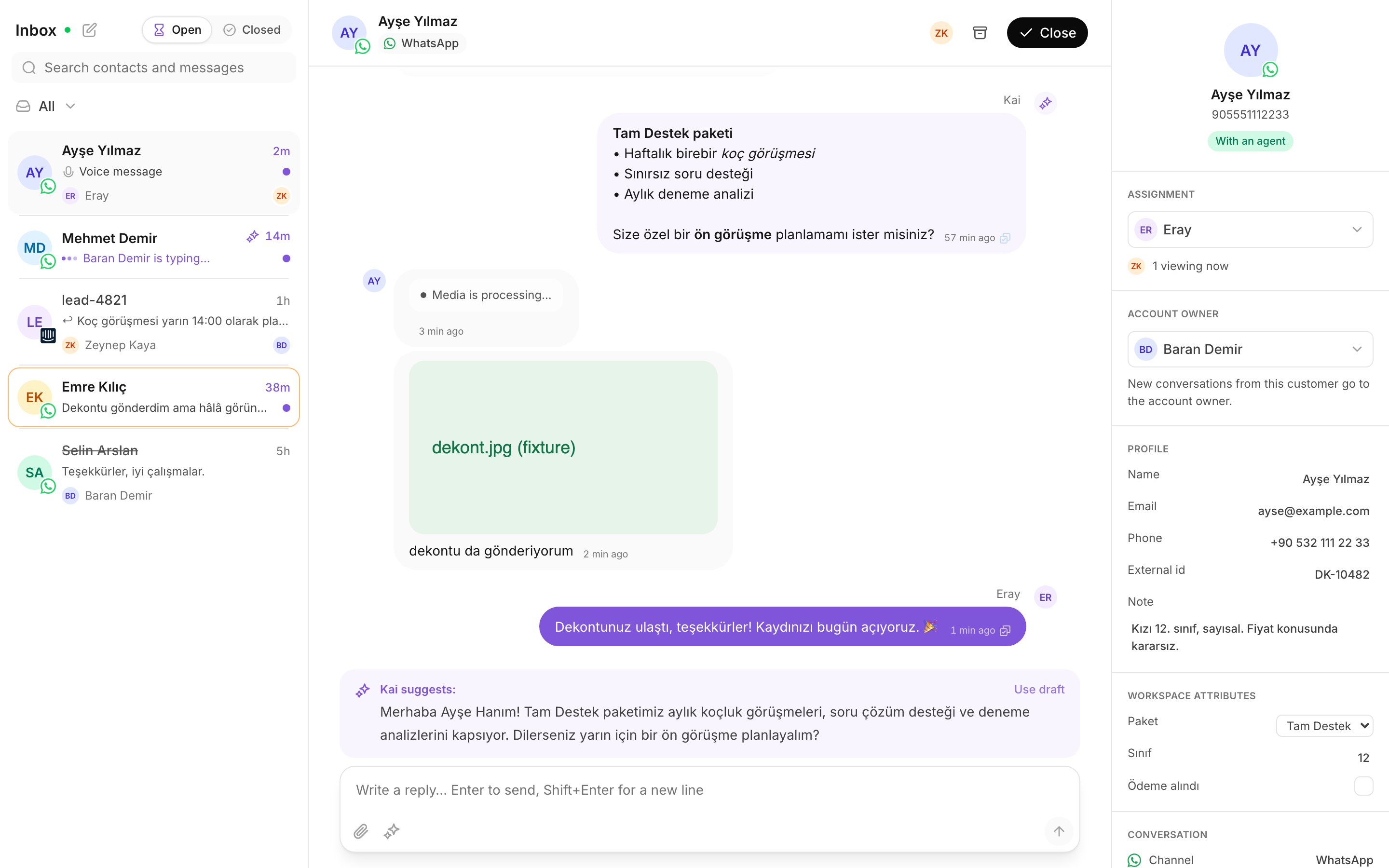
The inbox: the conversation list, the thread, and the details panel.
What Kai does
Kai reads every message that arrives, on every channel your workspace connected. Then it does one of two things.- In copilot, Kai writes a draft and puts it above the composer, under Kai suggests:. You read it, you change it, and you send it.
- In autopilot, Kai answers the customer by itself. It does this only for the conversations it is allowed to answer.
What Kai never does behind you
Kai stops on a conversation the moment a person replies on it. Send one message, and Kai sends nothing more on that thread. This holds in copilot and in autopilot. It holds when you reply from Kai, and when a teammate replies from the channel’s own inbox. It is a rule of the product, not a setting somebody can switch off.After a takeover, you can still ask for one more suggestion. See
Send a Kai draft.
What you control
Three things are yours:- Which draft you send. A draft is a suggestion. You can delete it.
- What you change in it. Your edit is what the customer reads.
- What that tells Kai. Kai records whether you sent the draft as it was, edited it, or ignored it. You send that signal by working, with no extra step.
What you cannot change
What Kai says comes from the Brain: the answer library, the conversation flows, and the brand voice that your workspace reviewed. A reviewer decides that content, not you. So a wrong answer is reported, not fixed in place. Rate it bad, write what the correct answer is, and the next review picks it up. Do not try to correct the Brain from the inbox. You cannot, and nobody expects you to.Read next
Find your work
Your queue, the views, unread, and search.
Take and hand over a conversation
Assignment, presence, and what a handoff looks like.
Close and reopen a conversation
Finish a conversation, and find it again.
Send a Kai draft
Use a draft, edit it, or write your own.
Rate what Kai writes
The rating that teaches the next version.
Ask Kai a question
Get an answer from the Brain, with its sources.