

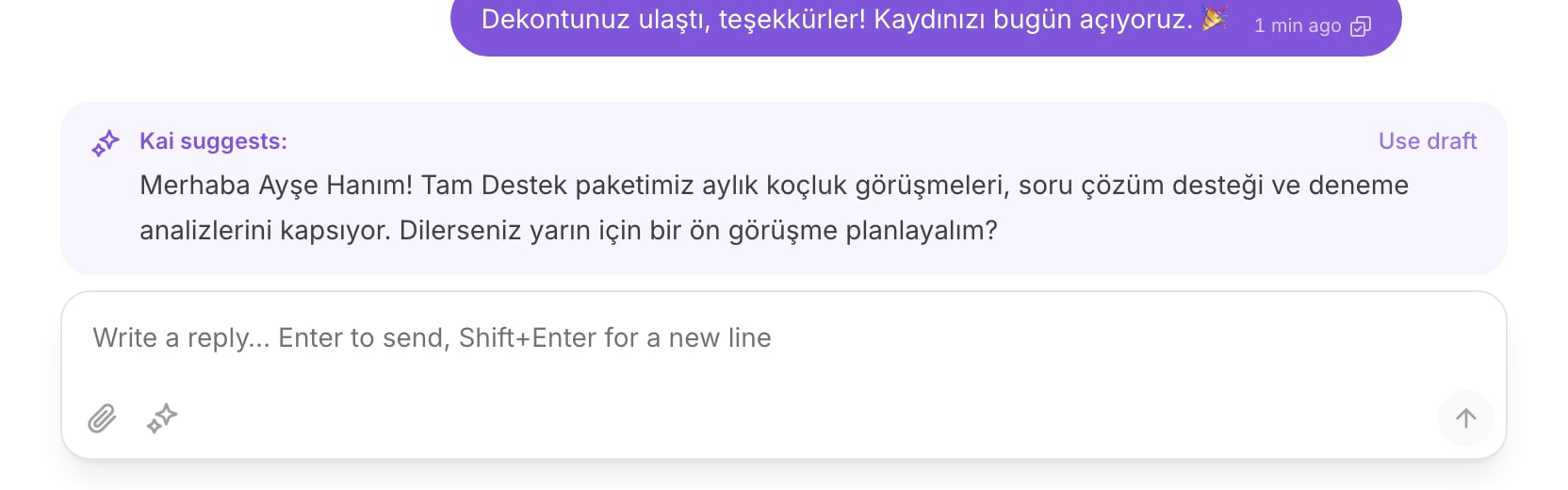
A draft above the composer, with Use draft on the right.
The draft card
When Kai has a reply ready for a conversation, a card sits above the composer. It says Kai suggests: on the left and Use draft on the right, with the first lines of the text under them. The customer does not see this card. Nothing in it has been sent. Select the card, or select Use draft. The text moves into the composer and the card goes away. Use draft does not send. It only fills the box. The reply leaves when you pressEnter.
The composer is locked until somebody holds the conversation. Select
Assign to me first. See
Take and hand over a conversation.
Check it in ten seconds
You send the message, so you own every word in it. Before you pressEnter,
read the draft against three questions.
- Does it answer the question the customer asked? A draft can answer a near question instead of the real one. If the customer asked when the coaching starts and the draft explains the package, it is wrong.
- Is every number right? Prices, dates, counts, times. Check each one against what your team says today.
- Does it promise something your team cannot do? A date nobody can hold, a discount nobody approved, a call nobody scheduled.
Editing is normal
A draft that you change is a draft that worked. Kai reads the conversation, but it does not know what you learned on the phone this morning. Cut a sentence. Add the detail Kai could not know. Change the greeting. None of this is a failure of the draft, and none of it needs an explanation. If the draft is wrong from the first line, ignore it and write your own reply.When Kai drafts instead of replying by itself
On a channel in autopilot, Kai usually answers the customer alone. It steps back to a draft, and waits for you, in four cases.- A human handoff rule fired. Your workspace wrote a rule that says a person must take this. Kai obeys it.
- The reply quotes a number Kai cannot verify. A number must appear in your current information, in an answer that is not marked volatile, or in the conversation itself. A price Kai cannot verify never reaches a customer on its own.
- Kai is not confident enough. The channel has a confidence floor. Under it, Kai drafts.
- A person already replied on the thread. See below.
Ask Kai for a draft
Kai stops drafting by itself once a person holds a conversation. To get a suggestion when no card is waiting, ask for one.1
Select the sparkle button in the composer
It sits beside the attach button. Its label is Ask Kai for a draft.
2
Wait a few seconds
The composer says Kai is reading the conversation….
3
Read what comes back
Kai returns a draft in the usual card. If a handoff rule matched instead,
Kai returns Kai would hand this over: and the reason. That is an
answer, not an error.
Once you send, the conversation is yours
The moment you send anything on a conversation, Kai stops acting on it. No reply, no draft on the next message, nothing. This holds on every channel and in every mode. It cannot be switched off. It also holds when a teammate sends, so a thread another person answered is not one Kai is still watching. So one message from you is a decision: from that point the customer is waiting on you, not on Kai. If you cannot finish the conversation, hand it to a teammate. See Take and hand over a conversation.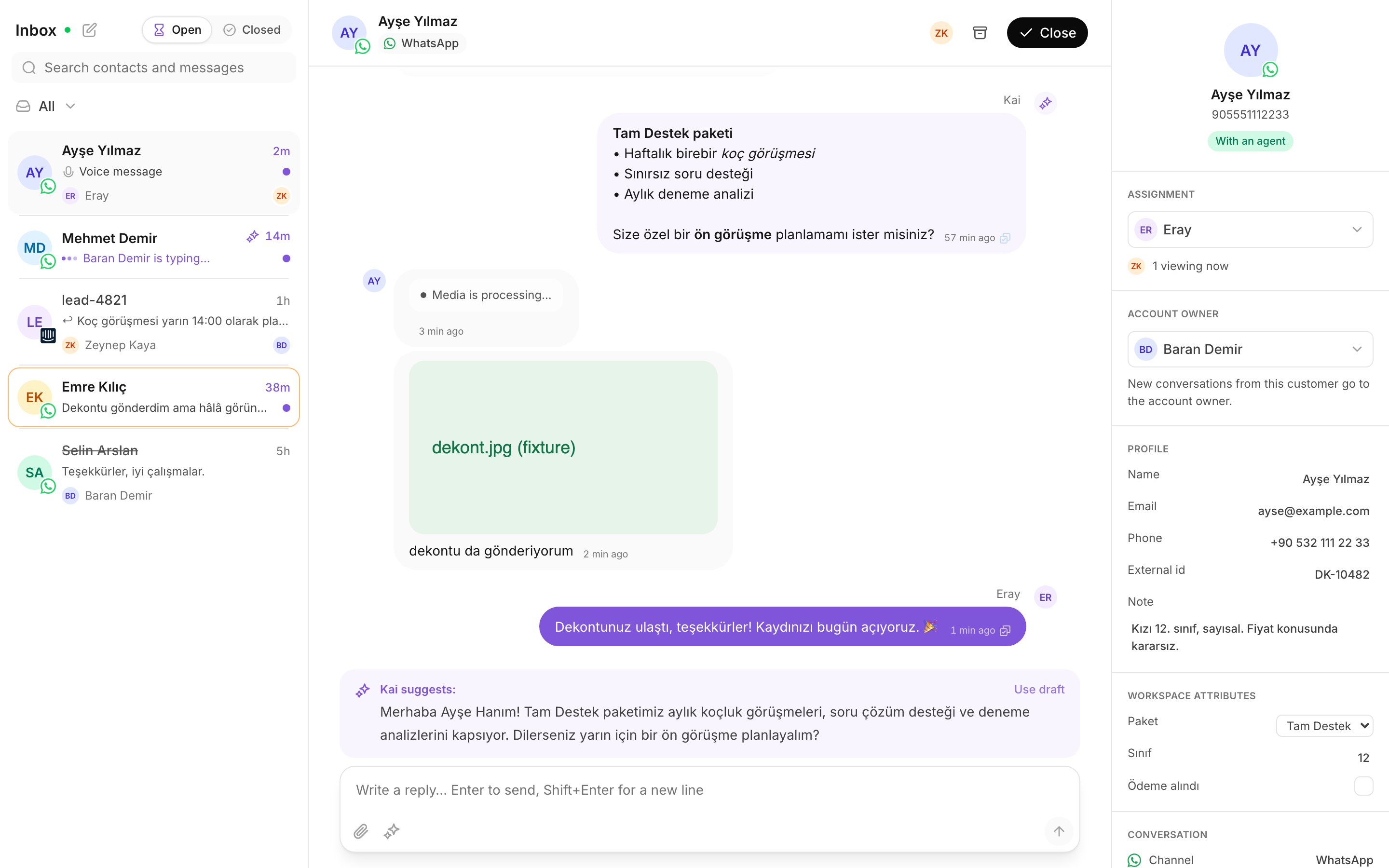
Drafts and sent replies in one thread.
Practice
- Open a conversation that shows Kai suggests:. Select Use draft, then read the text in the composer against the three questions above. Do not send yet.
- Change one sentence in that draft, then send it.
- Open a conversation you already replied to. Select Ask Kai for a draft and read what comes back.