

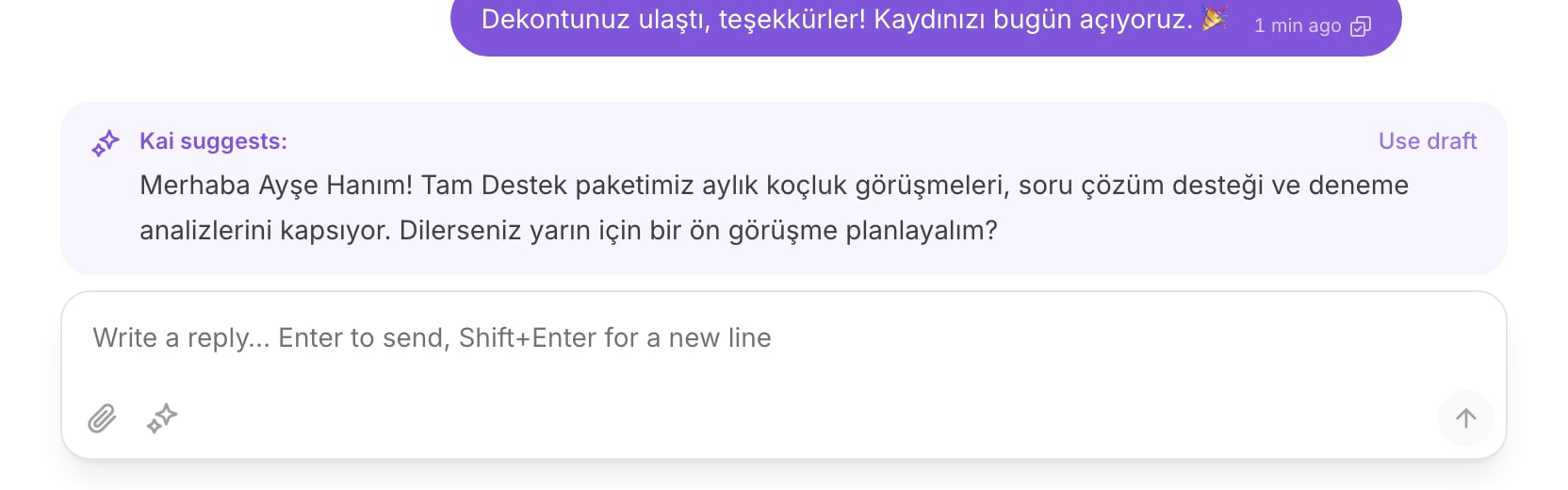
A draft above the composer, with Use draft on the right.
What “Kai suggests:” means
The card above the composer holds a reply that Kai wrote for this conversation. The card says Kai suggests: on the left and Use draft on the right. The draft is not sent. It is not visible to the customer. It waits in your composer until you act on it. The details panel also shows Kai has a draft waiting in the composer., so you can see from the list that this thread has something ready.Use a draft
1
Read the draft
The card shows the first lines. Select the card to load the whole text.
2
Select Use draft
The text moves into the composer. The card disappears.
3
Edit it
The text is now yours. Change a word, cut a sentence, add the detail Kai
could not know.
4
Send
Press
Enter to send. Press Shift+Enter for a new line.The composer is locked until somebody holds the conversation. Select
Assign to me first. See The inbox.
When Kai drafts instead of replying by itself
In copilot, Kai always drafts. Every reply passes a person. In autopilot, Kai sends by itself, but it steps back to a draft in these cases:- A human handoff rule fired. Kai hands the conversation to a teammate.
- The reply quotes a number that Kai cannot ground. See below.
- Confidence is under the floor set for the channel.
- A person already replied on this thread.
- The answer, or the conversation flow behind it, is not reviewed. Autopilot uses reviewed content only.
The coaching note on Intercom
Kai works inside the inbox your team already uses. On Intercom, Kai does not create a new surface:- a draft arrives as an internal note on the conversation;
- a handoff arrives as an assignment to a teammate.
Ask Kai for a draft
Kai stops drafting on its own once a person owns a conversation. To get a suggestion after a takeover, after a handoff, or after an assignment, ask for it.1
Select the sparkle button in the composer
It sits beside the attach button. Its label is Ask Kai for a draft.
2
Wait
The composer says Kai is reading the conversation…. A model call takes
a few seconds.
3
Read the answer
Kai returns a draft in the usual card. If a handoff rule matched instead,
Kai returns Kai would hand this over: and the reason. That is an
answer, not an error.
Give feedback, so the next retrain learns
A rating is not a score. It is the gate that lets a live reply into the next training corpus. Kai never learns from its own unreviewed output. A reply that Kai sent, or a draft that Kai wrote, enters the corpus only in two cases:- a reviewer rated it Good output;
- a reviewer wrote a Corrected reply. The correction replaces what Kai actually said, so the corpus holds your words.
1
Open the console in Review mode
Go to Console, then select Review. See
The console.
2
Select the conversation
The list holds real customer conversations, newest activity first.
3
Rate each reply Kai produced
Select Good output or Needs work.
4
Correct what was wrong
Under Correct reply, write the response Kai should have produced.
5
Leave a training note
A note steers the next compile. It never adds a fact your team did not
write.
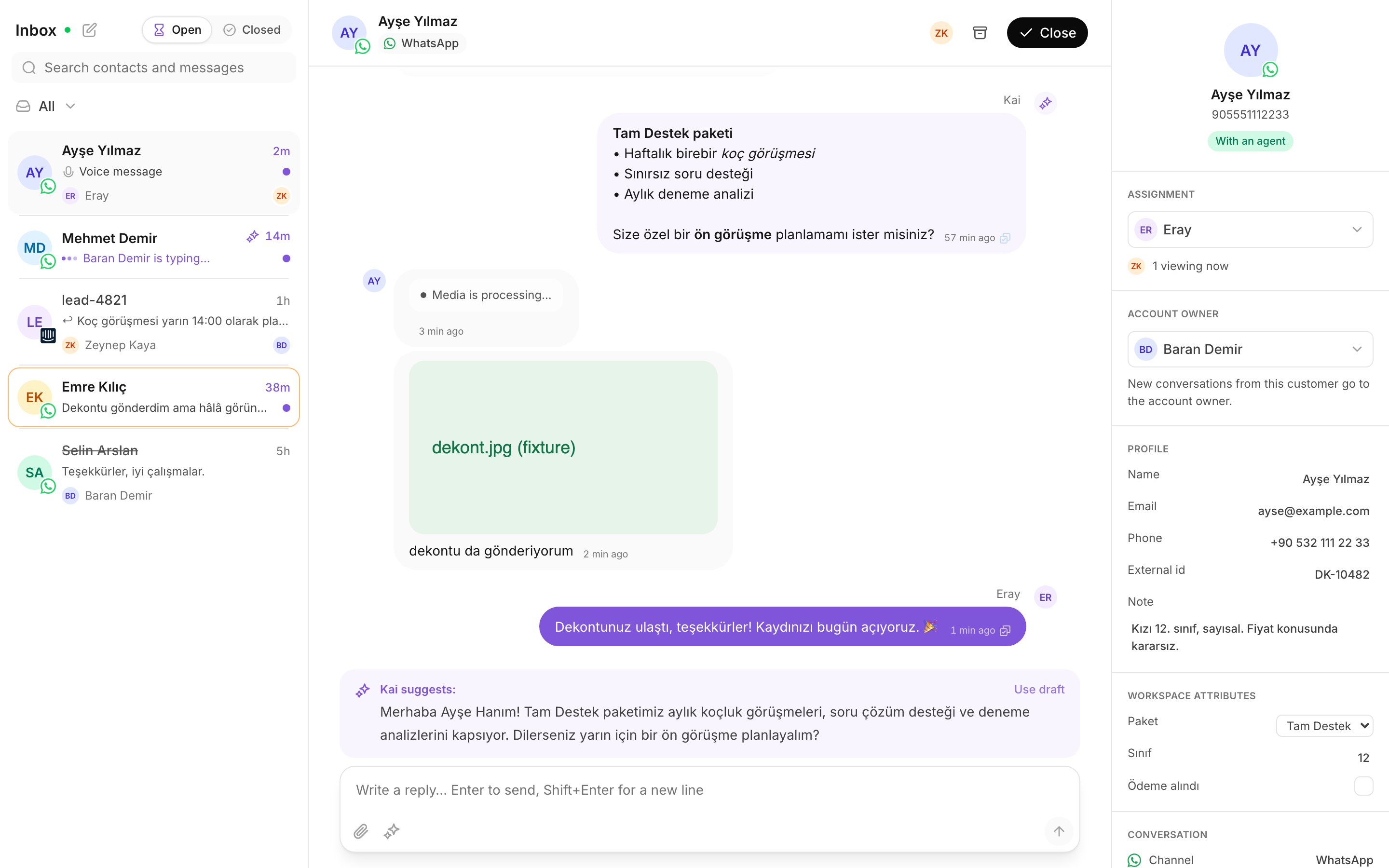
Drafts and sent replies in one thread.
Next
Copilot and autopilot
When Kai drafts, when it sends, and how to change that per channel.
Retrain the Brain
Turn your reviewed conversations into a new draft of the Brain.