

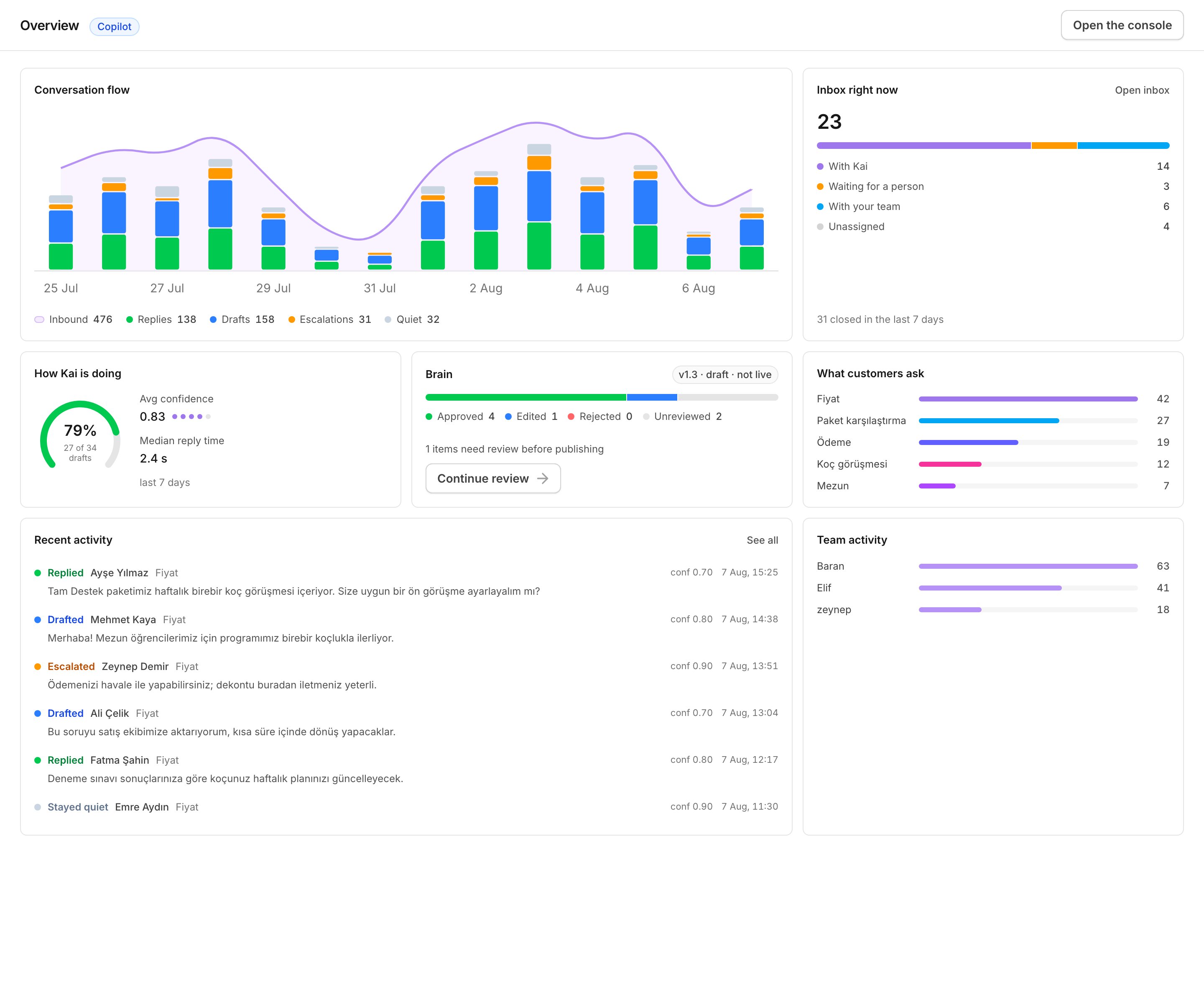
The Overview page: what Kai did today, and what still waits for a person.
What a Brain is
A Brain is everything Kai is allowed to know and say. It has six parts, and you can read and change each one:
Kai writes the first version of each part from your history. Nothing in it can
reach a customer on its own until a person approves it.
A Brain is versioned:
v1, v2, and so on. A published version is frozen. To
change a published version, you open a copy with Edit as a new draft, and
the copy becomes v1.1, v1.2, and so on. The published version keeps serving
customers until you publish the new draft.
The two modes
Copilot
Kai writes a draft and a coaching note in your inbox. A human reads it,
changes it if necessary, and sends it. Nothing reaches a customer unread.
Autopilot
Kai sends the reply itself. It does this only for content a reviewer
approved, or only for the intents you pick. Everything else still drafts or
escalates.
- a human handoff rule fires;
- the reply quotes a number that Kai cannot verify;
- confidence is below the floor you set;
- a human already replied on that conversation.
Where Kai works
Kai works in the inbox your team already uses:- Intercom. Drafts arrive as internal notes. A handoff is an assignment. One Intercom workspace can carry the Messenger widget, WhatsApp, email and SMS, and each of them can have its own mode.
- WhatsApp Cloud. A WhatsApp Business number talks to Kai directly.
- Kai’s own inbox. WhatsApp Cloud has no provider inbox, so your team answers from Kai. The inbox holds the conversation list, the thread, contact details, assignment and delivery status.
Your first hour
1
Sign in and name your workspace
About two minutes.
2
Upload your chat history
A WhatsApp or an Intercom export is enough. Kai replaces every phone
number, email address and payment reference with a placeholder before any
model reads a word.
3
Wait for the compile
A few hundred conversations take a few minutes. You can close the tab.
4
Work the review queue
Approve, edit or reject what Kai proposes. Work from the top: the queue
puts what blocks publishing first, then the most frequent items.
5
Connect a channel and stay in copilot
Your team reads every word Kai writes. The first drafts appear in the inbox
within minutes of the first customer message.
Next
How Kai works
The pipeline, one live message end to end, and what Brain versions mean.
Get started
From sign-up to the first draft, step by step.
Kai for support agents
A seven-page training path for the people who work the inbox every day.
Copilot, autopilot and off
What each mode does, and a safe order to turn them on.
Contacts API
Push, update, assign and export the contacts of your workspace.