

One conversation, one assignee
A conversation has one assignee: the teammate who holds it. The composer stays locked until somebody holds it. Two teammates answering one customer is the mistake this rule prevents.Take a conversation nobody holds
1
Open a conversation in Unassigned
The bar above the composer says Nobody has this conversation yet. If
Kai passed it to a person, it says Kai handed this conversation over.
Nobody has it yet.
2
Select Assign to me
The composer unlocks. The conversation now shows in Mine.
You do not have to take it first. If you send a reply on a conversation
nobody holds, Kai assigns it to you at the same moment. Sending is taking.
Hand it to a teammate
Use Assignment in the details panel on the right. Select the menu, then select the teammate. You can also use Assign to someone else in the bar above the composer.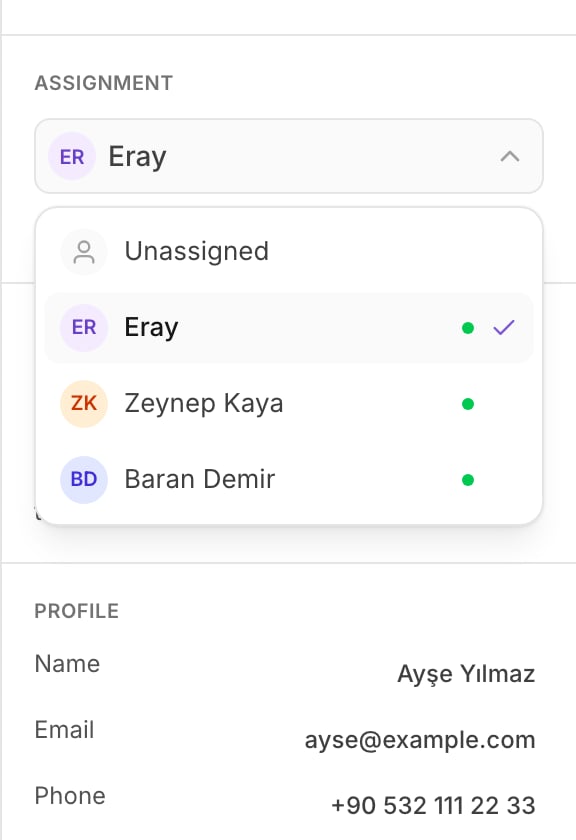
The assignment menu: Unassigned first, then each teammate.
See who is reading it
Under Assignment, the panel shows the teammates who have this conversation open right now, as 1 viewing now.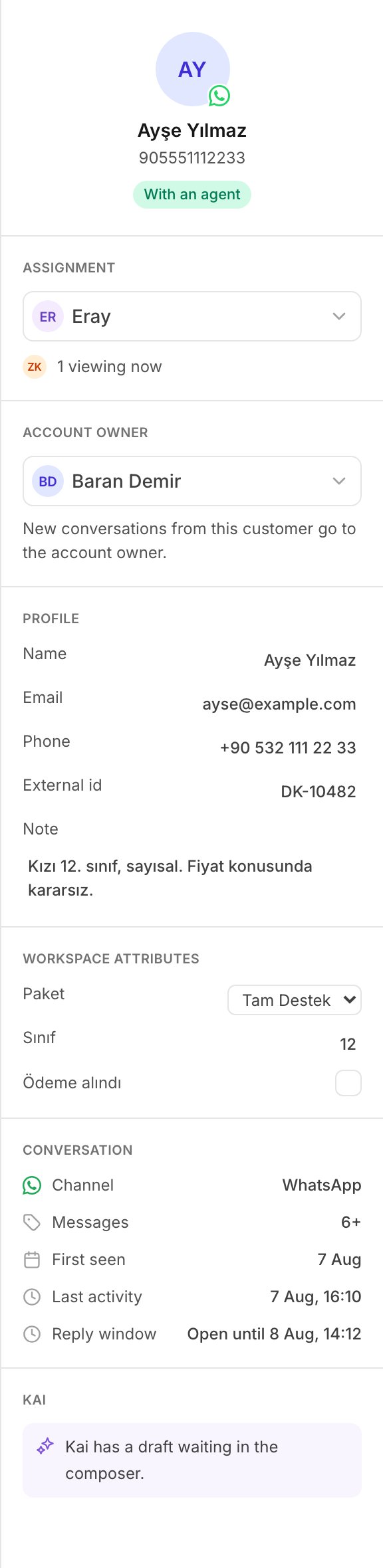
The details panel: assignment, account owner, and the customer record.
Assignee and account owner are different
These two words look alike, and they are not the same thing.
The account owner gets the customer’s next conversation, but only while that
conversation is still unassigned. This is why a new conversation can arrive
already assigned to you: you own that customer.
Ownership routes new work only. It never takes a conversation back from the
teammate a manager gave it to. The details panel shows Account owner as
part of the customer record. A Manager or an Admin sets it. See
Contacts and account owners.
What a handoff looks like from your seat
When Kai cannot answer safely, it hands the conversation to a person. From your seat this is what you see:- Kai stops. It writes nothing more on that conversation.
- The conversation waits with no assignee, so it shows in Unassigned.
- The row is marked, and the bar above the composer says Kai handed this conversation over. Nobody has it yet.
Practice
- Go to Unassigned, open a conversation, and select Assign to me. Confirm it now shows in Mine.
- Open the details panel and read Account owner. Note whether it is you.
- Open Assignment and give the conversation to a teammate with a green dot. Then take it back with Assign to me.
Read next
Close and reopen a conversation
Finish a conversation, and find it again when the customer writes back.