> ## Documentation Index
> Fetch the complete documentation index at: https://docs.kaisupport.com/llms.txt
> Use this file to discover all available pages before exploring further.
# The console
> Four modes: ask the Brain, propose a change, test the real reply path, and review what Kai said.
The console is where you work on Kai instead of with it. All four modes read
the same Brain. They differ in what they may touch.
An Agent holds **Ask** only. If that is your role, read
[Ask Kai a question](/product/agent/ask-kai) instead of this page.
 | Mode | What it does | What it changes |
| ----------- | -------------------------------------------------- | -------------------- |
| **Ask** | Answers a question from the Brain, with citations. | Nothing. |
| **Operate** | Proposes a change to the Brain. | Only what you apply. |
| **Test** | Runs the real reply path as a customer. | Nothing. |
| **Review** | Rates what Kai already said to a customer. | Training feedback. |
An Agent holds **Ask** only. A mode a person cannot use is not shown to them.
The console needs a compiled Brain. Without one it says: *There is no
compiled Brain yet, so there is nothing to ask about. Import a chat export
first.*
## Ask
Use Ask when you need to know what Kai will say, and where that answer came
from.
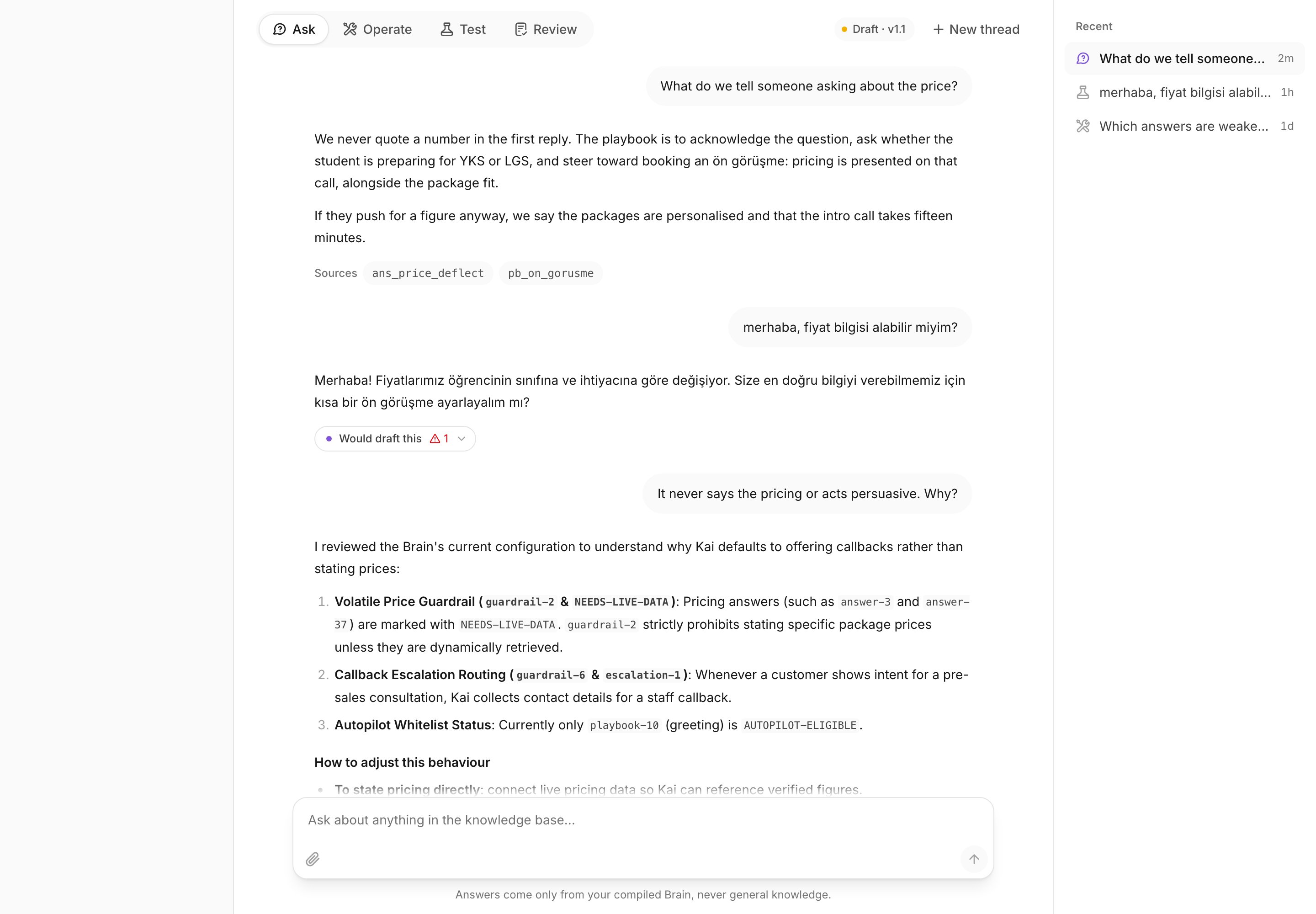
Answers come only from your compiled Brain, never from general knowledge. Each
answer carries a **Sources** list. Select a source to open the entry it came
from.
| Mode | What it does | What it changes |
| ----------- | -------------------------------------------------- | -------------------- |
| **Ask** | Answers a question from the Brain, with citations. | Nothing. |
| **Operate** | Proposes a change to the Brain. | Only what you apply. |
| **Test** | Runs the real reply path as a customer. | Nothing. |
| **Review** | Rates what Kai already said to a customer. | Training feedback. |
An Agent holds **Ask** only. A mode a person cannot use is not shown to them.
The console needs a compiled Brain. Without one it says: *There is no
compiled Brain yet, so there is nothing to ask about. Import a chat export
first.*
## Ask
Use Ask when you need to know what Kai will say, and where that answer came
from.
Answers come only from your compiled Brain, never from general knowledge. Each
answer carries a **Sources** list. Select a source to open the entry it came
from.
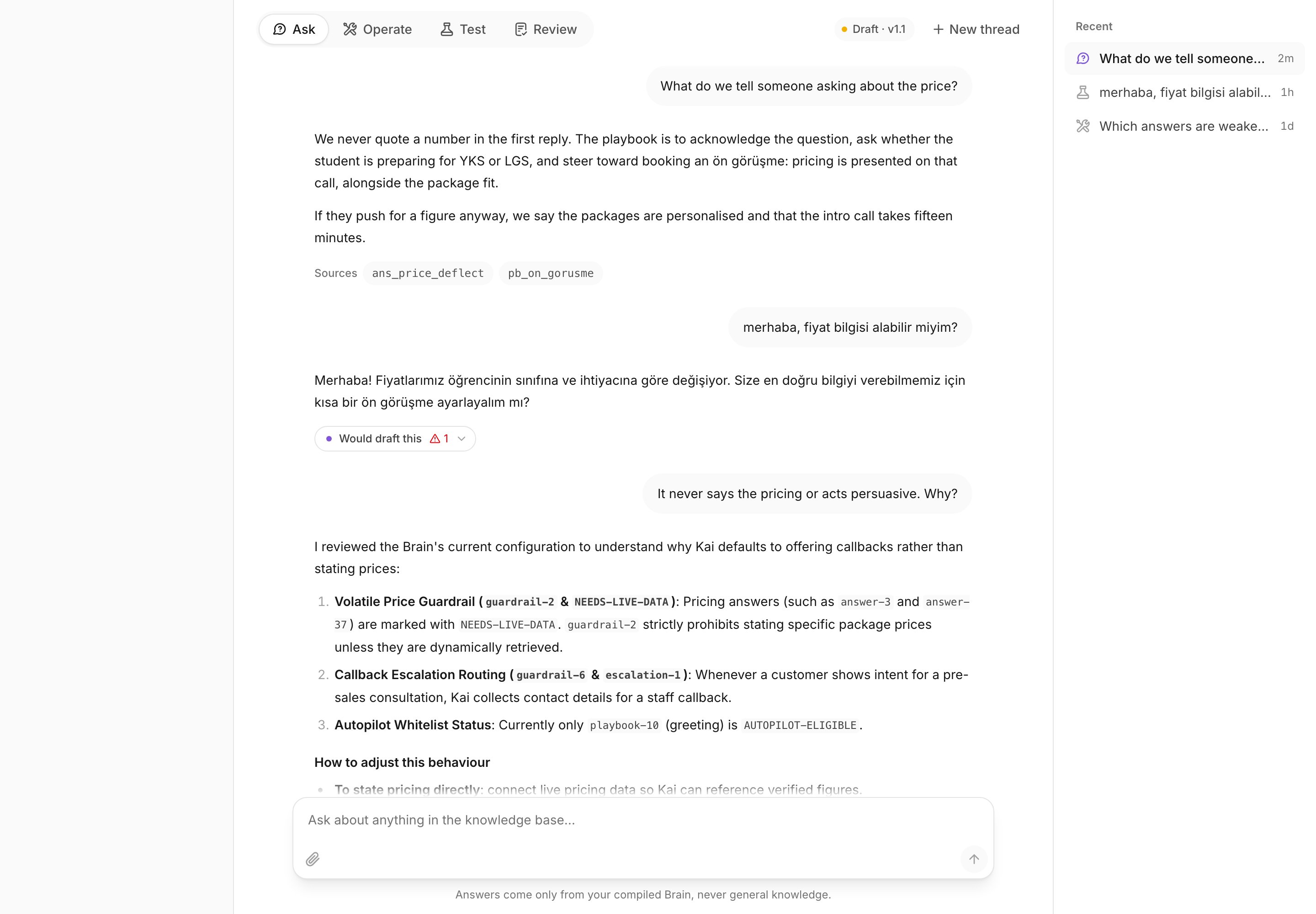 **Worked example.** A new rep asks:
> What do we tell someone asking about the price?
Kai answers with the canonical answer from your answer library, and lists the
entries under **Sources**. Select one to read the whole entry, its variants,
and the past conversations it came from.
If the answer is wrong, select **Improve in Operate**. The console carries the
question across.
A citation you cannot open is not provenance. If the model writes an entry
id that does not exist, Kai drops it rather than rendering a dead chip. What
you see under **Sources** is always real.
## Operate
Use Operate to understand the Brain and to change it. Kai proposes; you apply.
Nothing reaches your Brain until you apply it.
**Worked example.** A new rep asks:
> What do we tell someone asking about the price?
Kai answers with the canonical answer from your answer library, and lists the
entries under **Sources**. Select one to read the whole entry, its variants,
and the past conversations it came from.
If the answer is wrong, select **Improve in Operate**. The console carries the
question across.
A citation you cannot open is not provenance. If the model writes an entry
id that does not exist, Kai drops it rather than rendering a dead chip. What
you see under **Sources** is always real.
## Operate
Use Operate to understand the Brain and to change it. Kai proposes; you apply.
Nothing reaches your Brain until you apply it.
 **Worked example.** A manager asks:
> What is blocking this Brain from being published?
Kai reads the Brain and how it has been performing, then answers with the list
and, where it can, a proposed fix per item. Each proposal is a card marked
**Update** or **New entry**, with the old text and the new text.
Compare the current text with the proposed text.
The change lands in the draft Brain.
The proposal is dismissed. The Brain is untouched.
Two rules matter here.
**A proposal lands as an edit, never as an approval.** The button says so:
*Lands as an edit for review, never as approved.* Kai records you as the
reviewer, and the item still goes through the review queue. A model may not
approve its own work.
**A published Brain cannot be changed.** If the current version is published,
the card offers **Create draft from this version** instead. The published
version keeps serving your channels while you work on the copy.
Current information is not part of a Brain version. When a proposal changes
a price, a link or a payment detail, the button reads **Update the live
value**, and the change takes effect on the next reply, with no review and
no publish. See [Current information](/product/current-information).
Applying is limited to owners and admins. An Agent can read the Brain but not
change it.
## Test
Use Test to try Kai as a customer would, before a customer does. No customer
sees it.
Test runs the real reply path against the Brain your channel is pinned to, and
it runs it with no live connectors. That is deliberate: an answer that depends
on current information downgrades in Test exactly as it would downgrade live.
**Worked example.** A manager asks:
> What is blocking this Brain from being published?
Kai reads the Brain and how it has been performing, then answers with the list
and, where it can, a proposed fix per item. Each proposal is a card marked
**Update** or **New entry**, with the old text and the new text.
Compare the current text with the proposed text.
The change lands in the draft Brain.
The proposal is dismissed. The Brain is untouched.
Two rules matter here.
**A proposal lands as an edit, never as an approval.** The button says so:
*Lands as an edit for review, never as approved.* Kai records you as the
reviewer, and the item still goes through the review queue. A model may not
approve its own work.
**A published Brain cannot be changed.** If the current version is published,
the card offers **Create draft from this version** instead. The published
version keeps serving your channels while you work on the copy.
Current information is not part of a Brain version. When a proposal changes
a price, a link or a payment detail, the button reads **Update the live
value**, and the change takes effect on the next reply, with no review and
no publish. See [Current information](/product/current-information).
Applying is limited to owners and admins. An Agent can read the Brain but not
change it.
## Test
Use Test to try Kai as a customer would, before a customer does. No customer
sees it.
Test runs the real reply path against the Brain your channel is pinned to, and
it runs it with no live connectors. That is deliberate: an answer that depends
on current information downgrades in Test exactly as it would downgrade live.
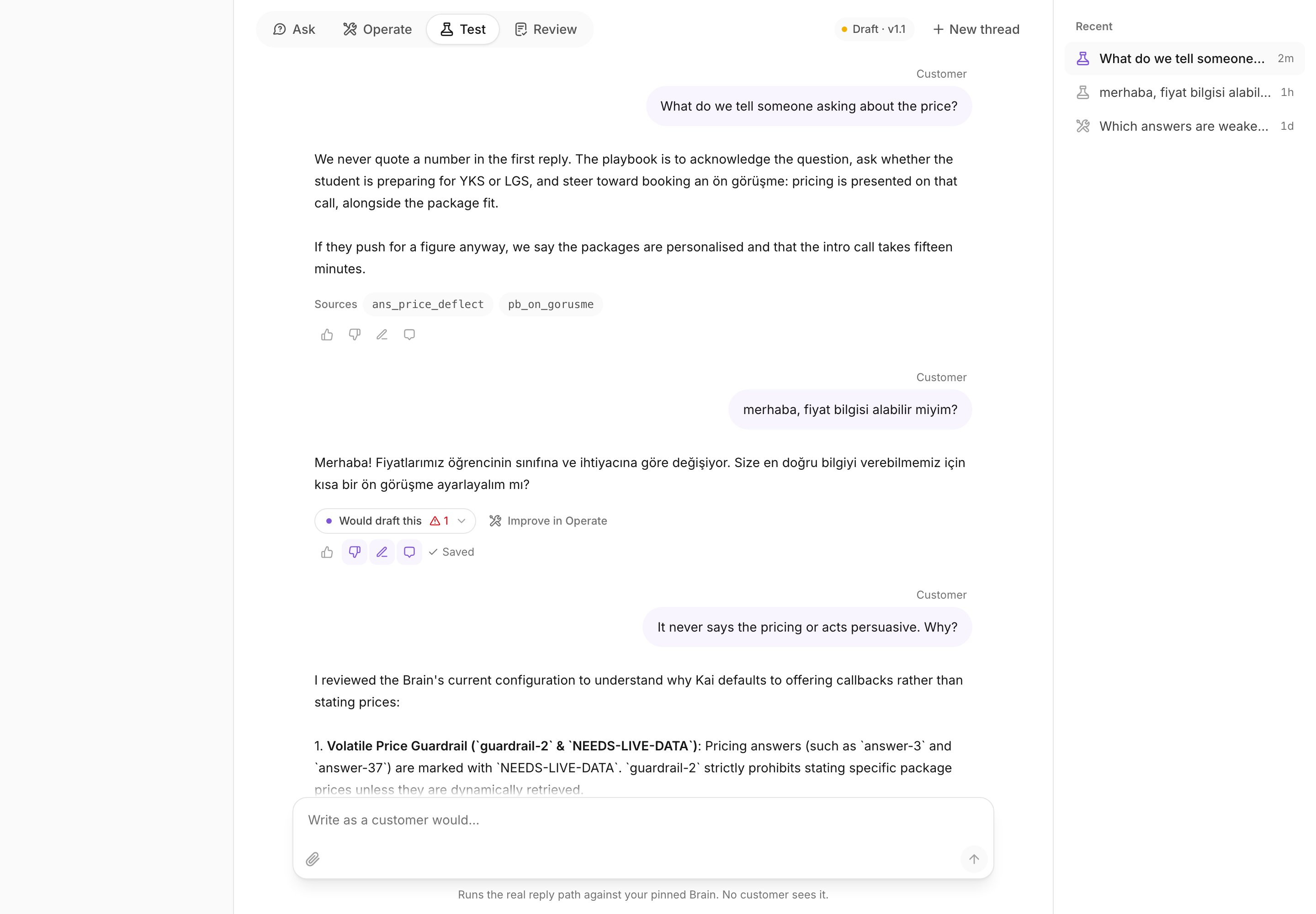 **Worked example.** Write, as a customer would:
> Hello, can I get pricing information?
Kai classifies, retrieves, reasons and checks the guardrails, then returns one
of four verdicts:
| Verdict | What it means |
| -------------------- | ------------------------------------------------------------------- |
| **Would send this** | Autopilot is on, the intent is whitelisted, and no guardrail fired. |
| **Would draft this** | A human sees it before the customer does. |
| **Would escalate** | Kai handed this to a person instead of answering. |
| **Would do nothing** | Nothing was sent, on purpose. |
Under the verdict, Kai shows the trace: the intents, the language, the
confidence, the conversation flow it followed, the human handoff rule that
fired, what it retrieved, what the model said it used, the grounded facts, the
model, the Brain version, and the latency.
A test run that reads wrong is the best input for Operate. Select **Improve
in Operate** on the run, and the console asks you what was wrong with it.
## Review
Use Review to rate what Kai already said to a real customer.
The list holds your customer conversations, newest activity first. Open one,
and every reply, draft, handoff and quiet decision is there with its
confidence.
For each one you can:
* rate it **Good output** or **Needs work**;
* write a **Corrected reply**: the response Kai should have produced;
* leave a training note for the next compile;
* mark the conversation **Reviewed** or **Needs follow-up**.
A rating is what lets a live AI reply enter the next training corpus. Kai
never learns from its own unreviewed output. An unrated reply is dropped, a
correction replaces what Kai said, and a conversation marked **Needs
follow-up** is left out whole.
See [Working with Kai's drafts](/product/drafts) for the agent's side of the
same loop, and [Retrain the Brain](/product/retrain) for what happens to the
feedback.
## Next
The review queue, the publish gate, and what blocks it.
Answers, conversation flows, handoff rules, and brand voice.
**Worked example.** Write, as a customer would:
> Hello, can I get pricing information?
Kai classifies, retrieves, reasons and checks the guardrails, then returns one
of four verdicts:
| Verdict | What it means |
| -------------------- | ------------------------------------------------------------------- |
| **Would send this** | Autopilot is on, the intent is whitelisted, and no guardrail fired. |
| **Would draft this** | A human sees it before the customer does. |
| **Would escalate** | Kai handed this to a person instead of answering. |
| **Would do nothing** | Nothing was sent, on purpose. |
Under the verdict, Kai shows the trace: the intents, the language, the
confidence, the conversation flow it followed, the human handoff rule that
fired, what it retrieved, what the model said it used, the grounded facts, the
model, the Brain version, and the latency.
A test run that reads wrong is the best input for Operate. Select **Improve
in Operate** on the run, and the console asks you what was wrong with it.
## Review
Use Review to rate what Kai already said to a real customer.
The list holds your customer conversations, newest activity first. Open one,
and every reply, draft, handoff and quiet decision is there with its
confidence.
For each one you can:
* rate it **Good output** or **Needs work**;
* write a **Corrected reply**: the response Kai should have produced;
* leave a training note for the next compile;
* mark the conversation **Reviewed** or **Needs follow-up**.
A rating is what lets a live AI reply enter the next training corpus. Kai
never learns from its own unreviewed output. An unrated reply is dropped, a
correction replaces what Kai said, and a conversation marked **Needs
follow-up** is left out whole.
See [Working with Kai's drafts](/product/drafts) for the agent's side of the
same loop, and [Retrain the Brain](/product/retrain) for what happens to the
feedback.
## Next
The review queue, the publish gate, and what blocks it.
Answers, conversation flows, handoff rules, and brand voice.