> ## Documentation Index
> Fetch the complete documentation index at: https://docs.kaisupport.com/llms.txt
> Use this file to discover all available pages before exploring further.
# Find your work
> Find the conversations that are yours, the ones nobody holds, and a customer you remember by name.
Read this page to find your own queue, and to work it in a sensible order.
## Your queue
Open **Inbox**. The left pane is the conversation list. Everything on this page
happens in that pane.
 ## Open and closed
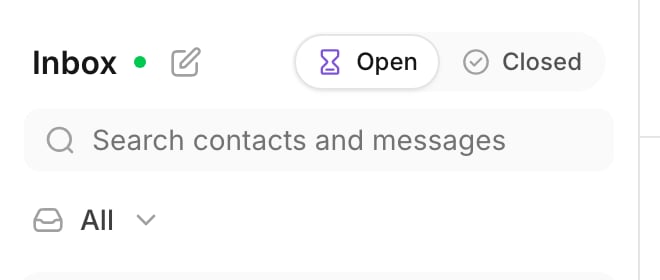
The segment at the top has two positions.
* **Open** holds every conversation that still waits for somebody.
* **Closed** holds the conversations your team finished.
You work in **Open**. Go to **Closed** only to find a conversation again.
## Views
**Views** is a menu under the search box. As an Agent you see two entries:
| View | What it shows |
| -------------- | ----------------------------------- |
| **Mine** | The conversations assigned to you. |
| **Unassigned** | The conversations nobody holds yet. |
## Open and closed
The segment at the top has two positions.
* **Open** holds every conversation that still waits for somebody.
* **Closed** holds the conversations your team finished.
You work in **Open**. Go to **Closed** only to find a conversation again.
## Views
**Views** is a menu under the search box. As an Agent you see two entries:
| View | What it shows |
| -------------- | ----------------------------------- |
| **Mine** | The conversations assigned to you. |
| **Unassigned** | The conversations nobody holds yet. |
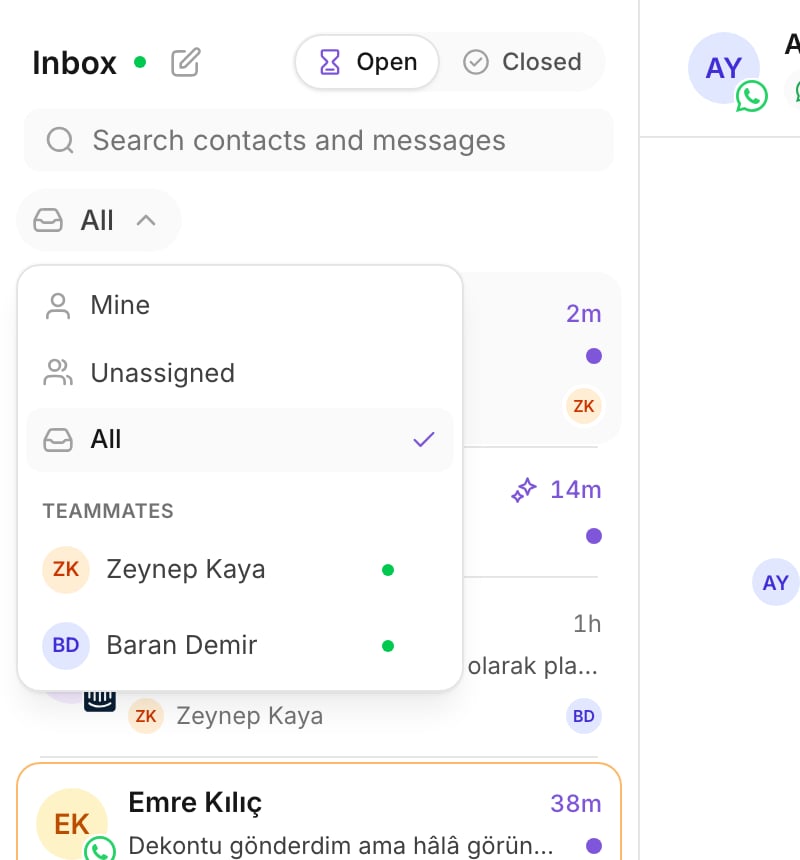 A Manager or an Admin also sees **All**, and each person under **Teammates**.
If you do not see those entries, your role does not include them. That is
correct, and not a fault.
## Unread is yours alone
Unread is counted for each person. A conversation is unread for you until
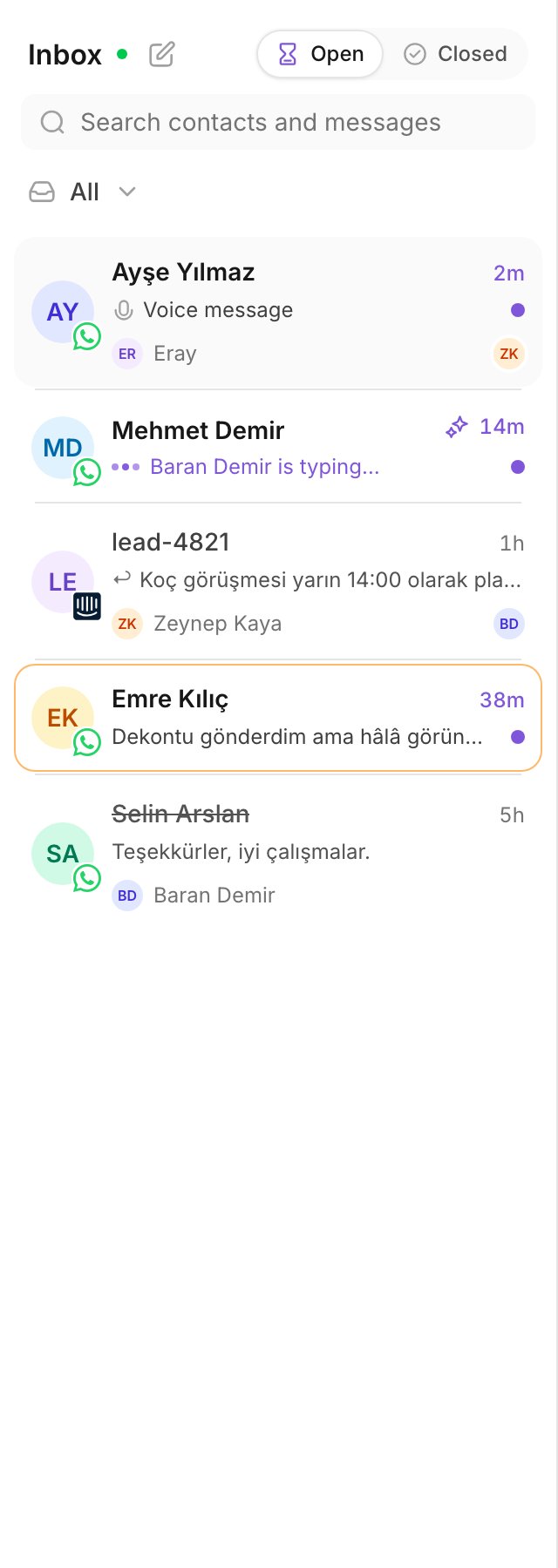
**you** open it. Your unread rows are bold and carry a dot.
A teammate who reads the same thread does not clear it for you. So an unread
row is always work you have not seen, never work somebody else already saw.
A Manager or an Admin also sees **All**, and each person under **Teammates**.
If you do not see those entries, your role does not include them. That is
correct, and not a fault.
## Unread is yours alone
Unread is counted for each person. A conversation is unread for you until
**you** open it. Your unread rows are bold and carry a dot.
A teammate who reads the same thread does not clear it for you. So an unread
row is always work you have not seen, never work somebody else already saw.
 ## Search
Use the search box to find a customer by name. Type at least two characters.
Search reads contacts and messages.
Search is a mode, not a filter. The results ignore the view, and they ignore
the open and closed segment. A customer you remember by name is often in
neither of them.
Press `Escape` to leave the search and return to your view.
Search is the fastest way to answer "did we already talk to this person?".
Type the name, not the phone number.
## Live and Reconnecting
The header shows **Live** when the connection to new traffic is up. It shows
**Reconnecting…** when the connection drops.
**Reconnecting…** is not a lost message. New messages still arrive after the
connection comes back. If it stays that way for minutes, tell your manager.
## An order that works
Each morning, work the queue in this order:
Open **Views**, select **Mine**. Answer your own unread rows. These are
customers who already wait for you.
Select **Unassigned**. These conversations have nobody. Some of them are
conversations Kai handed over. Take what you can answer.
Go back to **Mine**. Read the threads with no unread dot and close the
ones that are finished.
For every control in the list, see [The inbox](/product/inbox).
## Practice
1. Open **Views** and switch between **Mine** and **Unassigned**. Count the
rows in each.
2. Select **Closed**, then **Open** again. Confirm that your unread rows are
still bold.
3. Type two letters of a customer's name in the search box. Open a result, then
press `Escape`.
## Read next
Take a conversation nobody holds, and give one to a teammate.
## Search
Use the search box to find a customer by name. Type at least two characters.
Search reads contacts and messages.
Search is a mode, not a filter. The results ignore the view, and they ignore
the open and closed segment. A customer you remember by name is often in
neither of them.
Press `Escape` to leave the search and return to your view.
Search is the fastest way to answer "did we already talk to this person?".
Type the name, not the phone number.
## Live and Reconnecting
The header shows **Live** when the connection to new traffic is up. It shows
**Reconnecting…** when the connection drops.
**Reconnecting…** is not a lost message. New messages still arrive after the
connection comes back. If it stays that way for minutes, tell your manager.
## An order that works
Each morning, work the queue in this order:
Open **Views**, select **Mine**. Answer your own unread rows. These are
customers who already wait for you.
Select **Unassigned**. These conversations have nobody. Some of them are
conversations Kai handed over. Take what you can answer.
Go back to **Mine**. Read the threads with no unread dot and close the
ones that are finished.
For every control in the list, see [The inbox](/product/inbox).
## Practice
1. Open **Views** and switch between **Mine** and **Unassigned**. Count the
rows in each.
2. Select **Closed**, then **Open** again. Confirm that your unread rows are
still bold.
3. Type two letters of a customer's name in the search box. Open a result, then
press `Escape`.
## Read next
Take a conversation nobody holds, and give one to a teammate.